Inbox & approvals

Every request, one inbox.

Leave, overtime, attendance corrections and loans land in one inbox, by email and as a push notification. Any approver can decide, and everyone sees the outcome.

Included from Basic

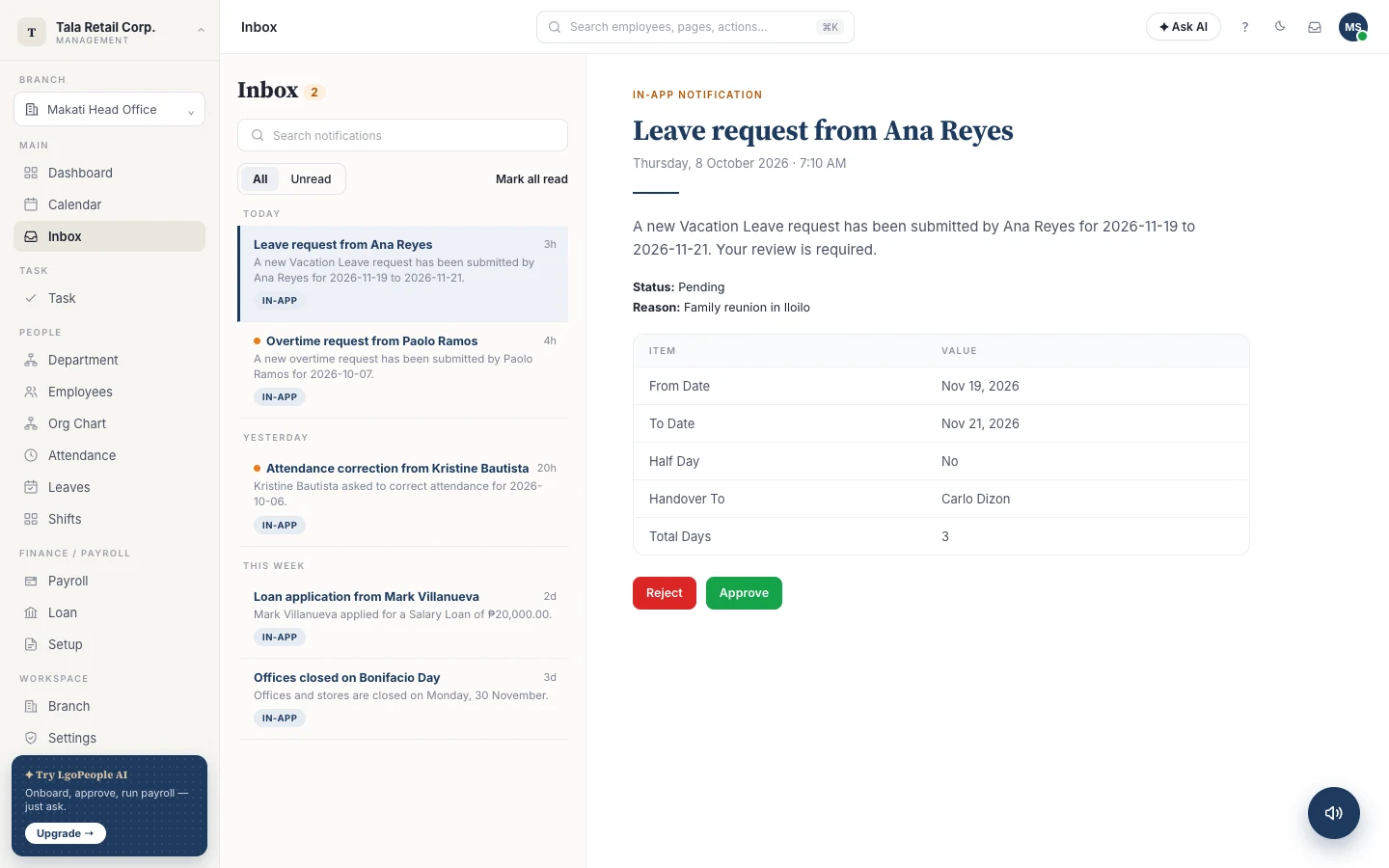
Inbox with a leave request open, showing dates, total days and Approve and Reject buttons

Highlights

One place for requests

Leave, overtime, attendance corrections and loans.

Several approvers

The department head and approvers all get it. The first decision counts.

In-app, email and push

Every notification arrives three ways.

Announcements

Send policy updates or closures with a PDF or image attached.

Search and filter

All or unread, and a search across every message.

Clear outcomes

Once someone acts, the buttons disappear for everyone else.

01

Decide with everything in front of you

Open a request and see the details that matter: leave type, dates, days, half-day session, reason, handover and attachment. Then approve or reject.

  • Cancel approved leave that hasn't started yet
  • An Open button jumps to the related page
  • Mark all as read in one click
Leave request detail in the inbox with Approve and Reject buttons

02

Announcements people actually see

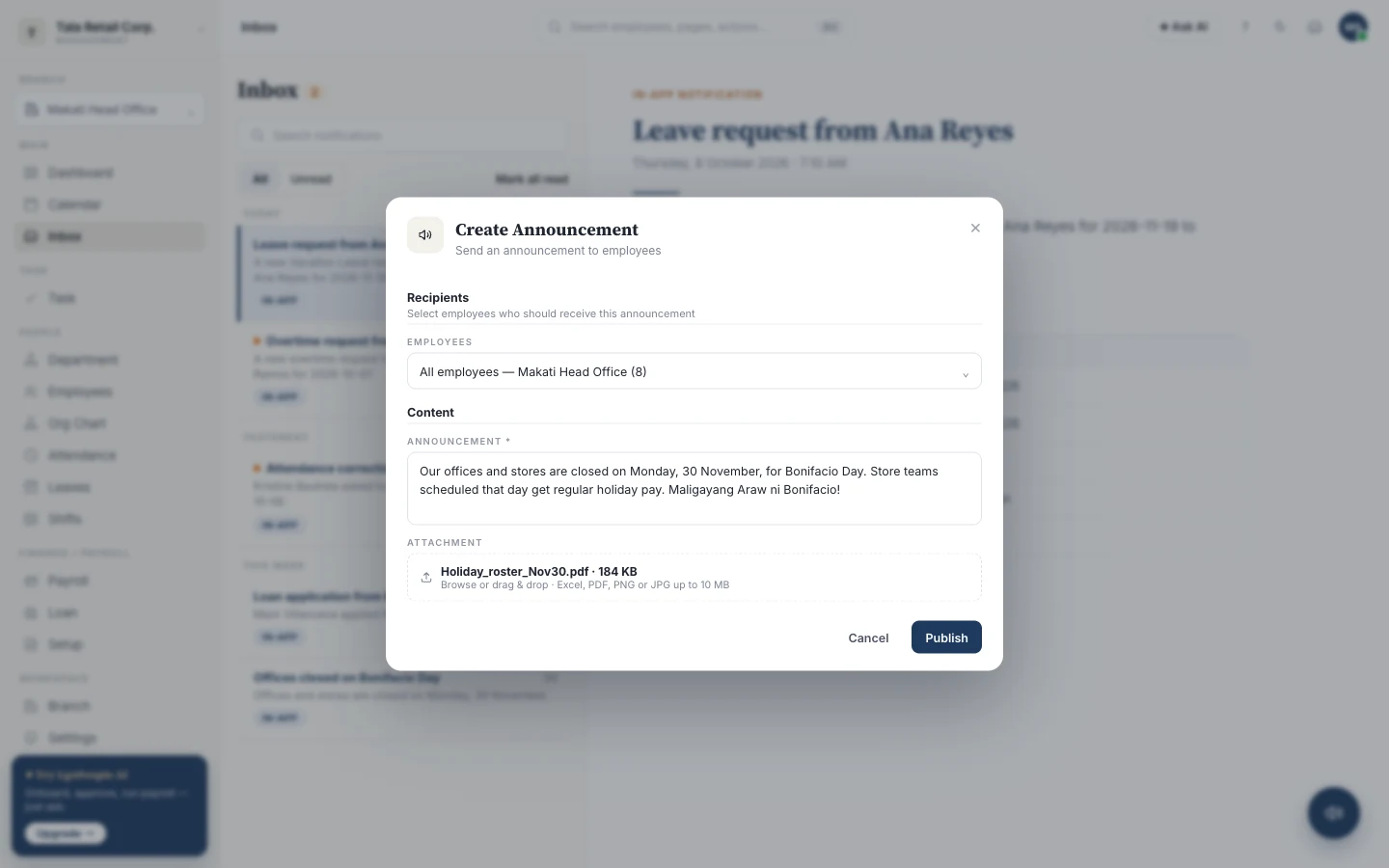
Write an announcement, pick the employees, attach a PDF, PNG or JPG up to 10 MB, and publish. It lands in their inbox, their email and their phone.

  • Policy updates, office closures and celebrations
  • Sent from the megaphone button in the management inbox
Create announcement dialog with recipients, message and attachment

Try it

Two approvers. One decision.

Mark from Sales applies for leave. His department head and the extra approver both get the request. Act as either of them.

MR

Mark Reyes

Sales · employee

Casual leave

19–21 Nov · 3 days

Waiting for a decision…

JS

Joy Santos

Department head

In-app · email · push

CD

Carlo Dizon

Approver

In-app · email · push

FAQ

Good questions.

Free plan

Up to 5 users? It's free.

Start on the Free plan with up to 5 users. When your team grows, paid plans start at ₱39 per employee per month, with no demo wall or setup fee.

Talk to a human: kim@lgoconnects.com