Leave & holidays

Leave that payroll already understands.

Set up leave types, policies and holiday lists once. Employees apply from the app, approvers decide from their inbox, and approved days flow straight into attendance and payroll.

Included from Basic

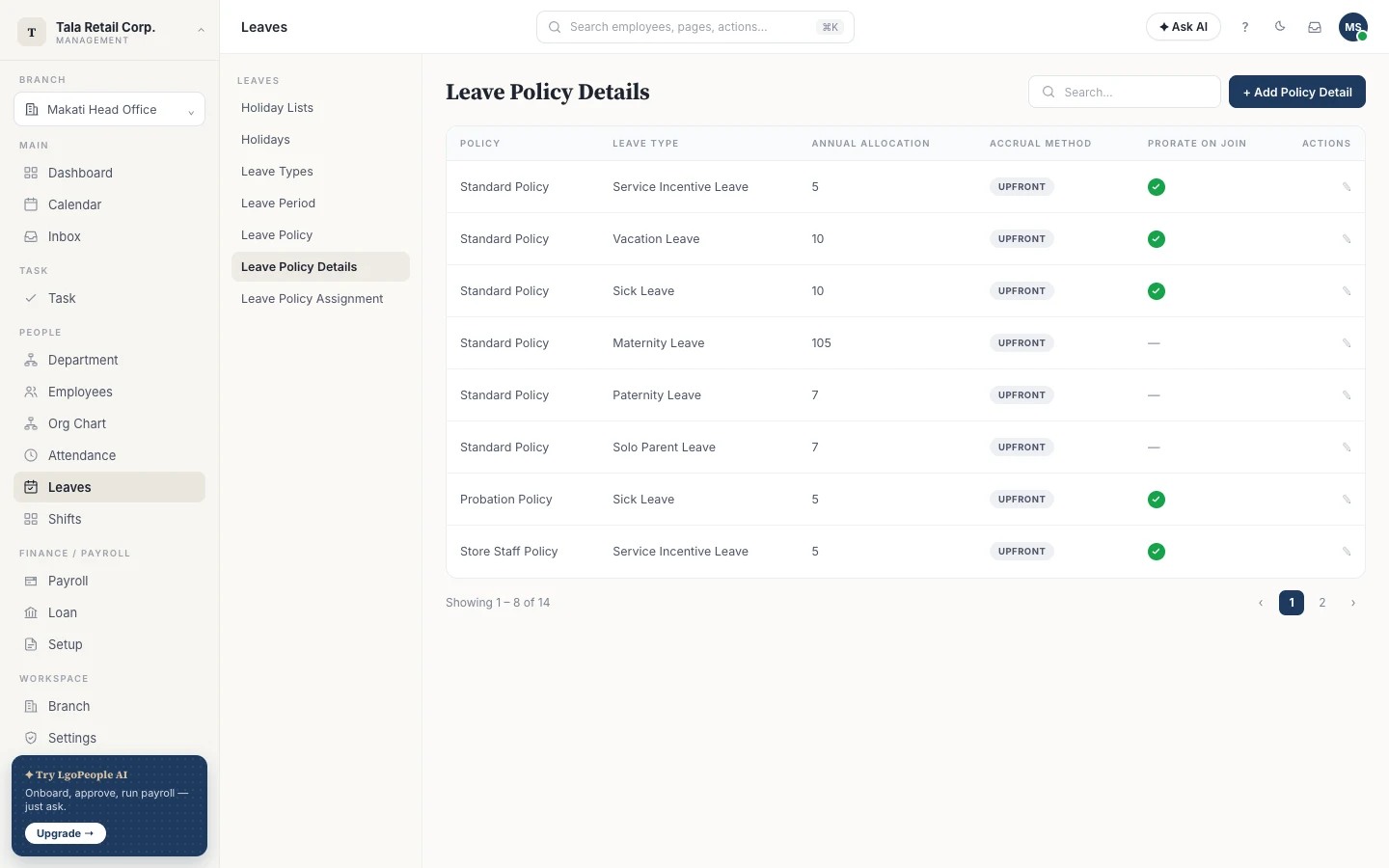
Leave policy details with annual allocation for casual, sick, earned and maternity leave

Highlights

Paid, unpaid and negative

Paid leave, leave without pay, and balances that may go below zero.

Half days

Morning or afternoon sessions, counted as 0.5 days.

Philippine leave types

Service Incentive Leave, 105-day maternity, paternity and solo parent leave, set up your way.

Prorated on joining

Joiners get a fair share of the year's allocation, worked out to the day.

Branch holiday lists

Each office keeps its own regional holidays and weekly offs.

Philippine pay types

Regular holidays, special non-working and special working days.

01

Leave types that behave

Switches on each leave type decide how it works: paid or unpaid, whether holidays and weekly offs count, half days, negative balances and who can take it.

  • Service Incentive Leave, vacation and sick leave as paid types
  • Maternity and paternity leave only shown to the right employees
  • Leave without pay deducts days as loss of pay in payroll
  • Include or skip holidays and weekly offs inside a range
  • A calendar colour for the team calendar
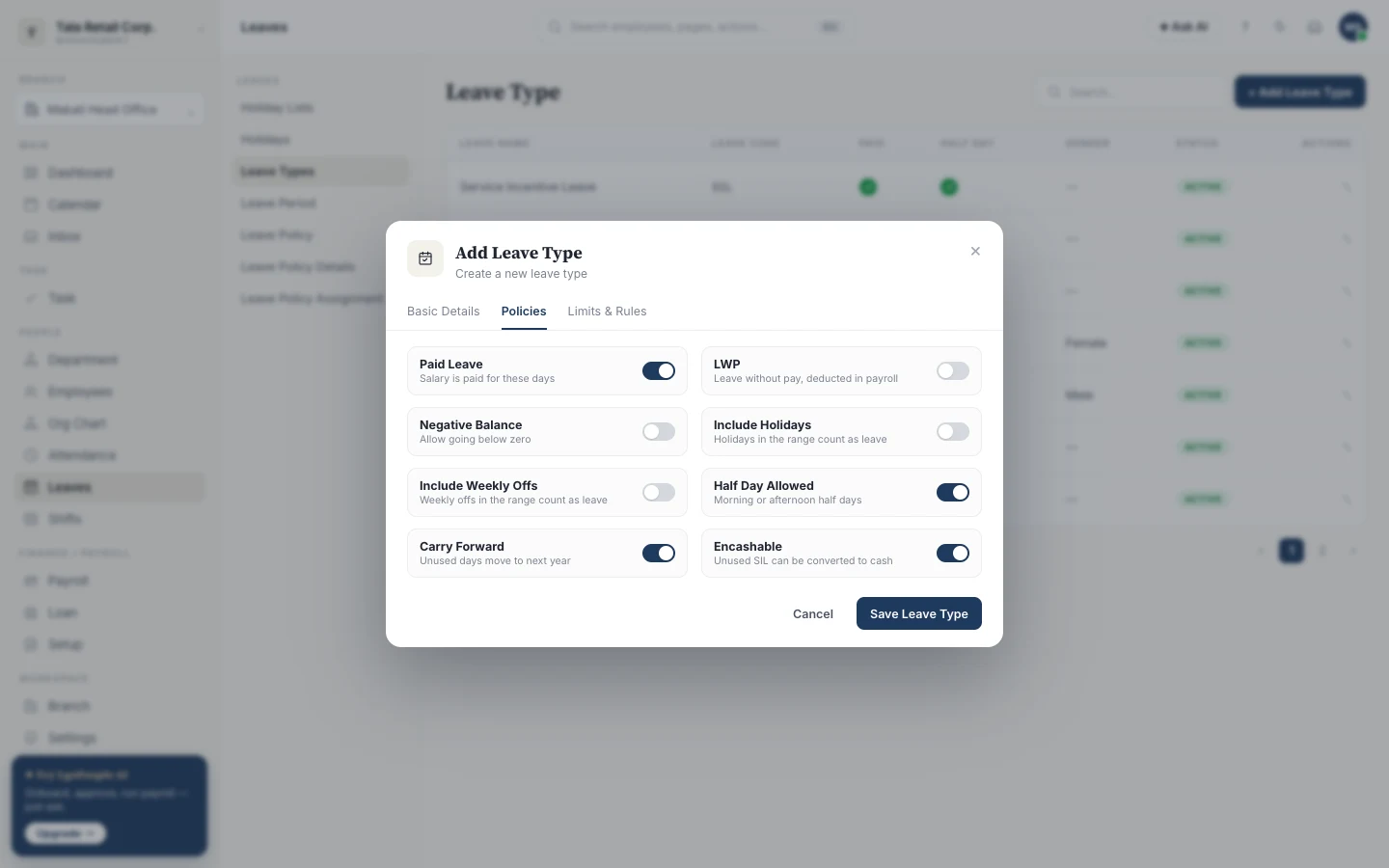
Add leave type dialog on the Policies tab with paid leave and half day switches

02

Policies and balances, assigned in bulk

Bundle leave types into a policy, such as Standard or Probation, with an annual allocation for each. Assign it to an employee and their balances appear.

  • Prorate on join: allocation × days remaining ÷ days in the period
  • Assign policies one by one or from an Excel template
  • Once leave is taken, the assignment is locked from edits

Example: someone joining on 1 July with 12 days a year gets 12 × 184 ÷ 365 = 6.05 days.

Leave policy details table with allocations and accrual method

03

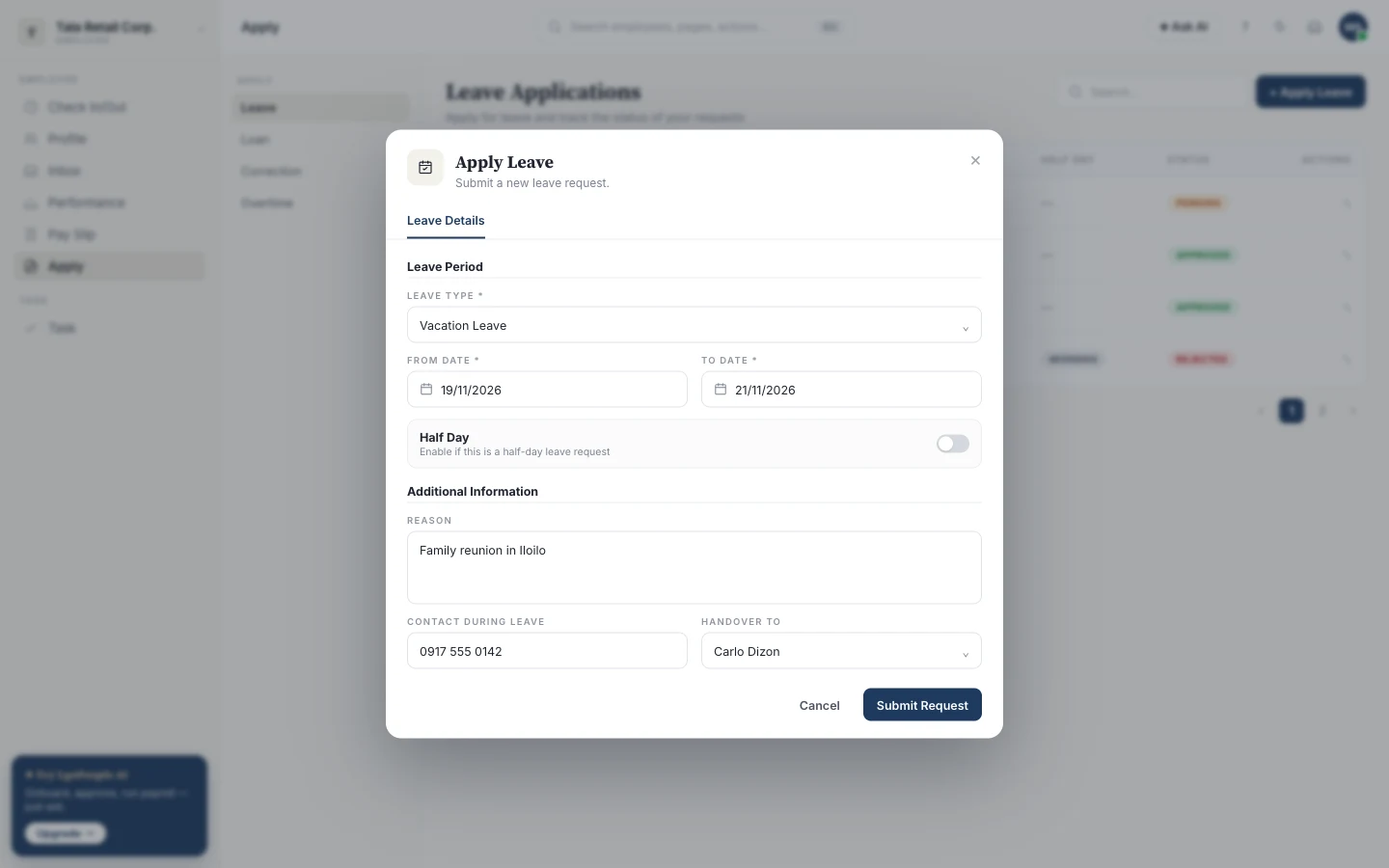
Apply in seconds

Pick the type and dates, add a reason, a handover colleague or a medical certificate, and submit. Days are counted for you.

  • Holidays and weekly offs inside the range are skipped
  • Half days for morning or afternoon
  • Status tracked as pending, approved, rejected or cancelled
Apply leave dialog with leave type, dates, half day switch and reason

04

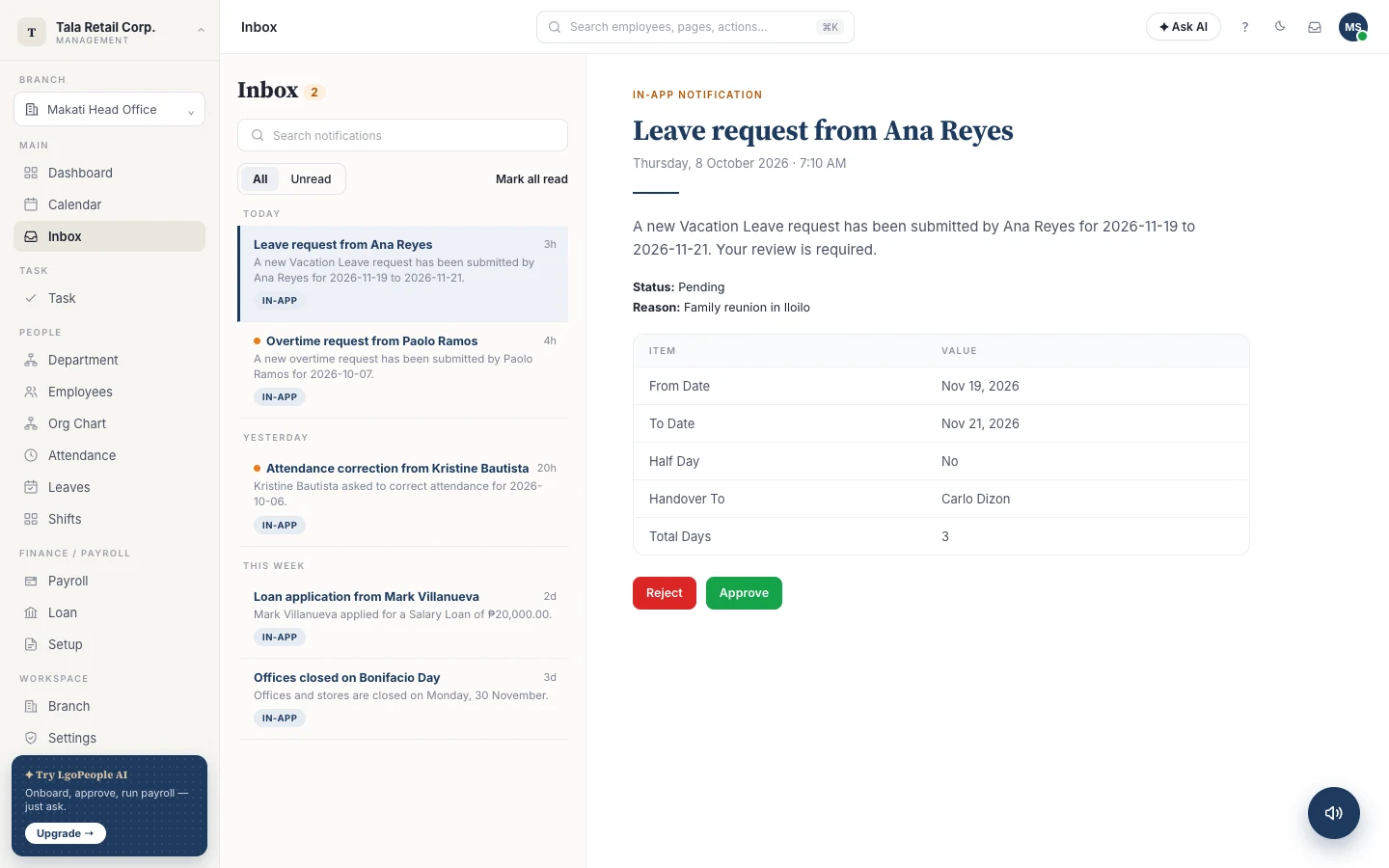
Approve with the checks already done

On approval, LGO People checks the leave period, looks for overlaps, deducts the balance, marks the days On Leave in attendance and tells the employee.

  • Goes to the department head and every approver
  • The first decision counts, and everyone else sees it
  • Approved leave can be cancelled before it starts, with the balance restored
Leave request in the inbox with dates, total days and Approve and Reject buttons

05

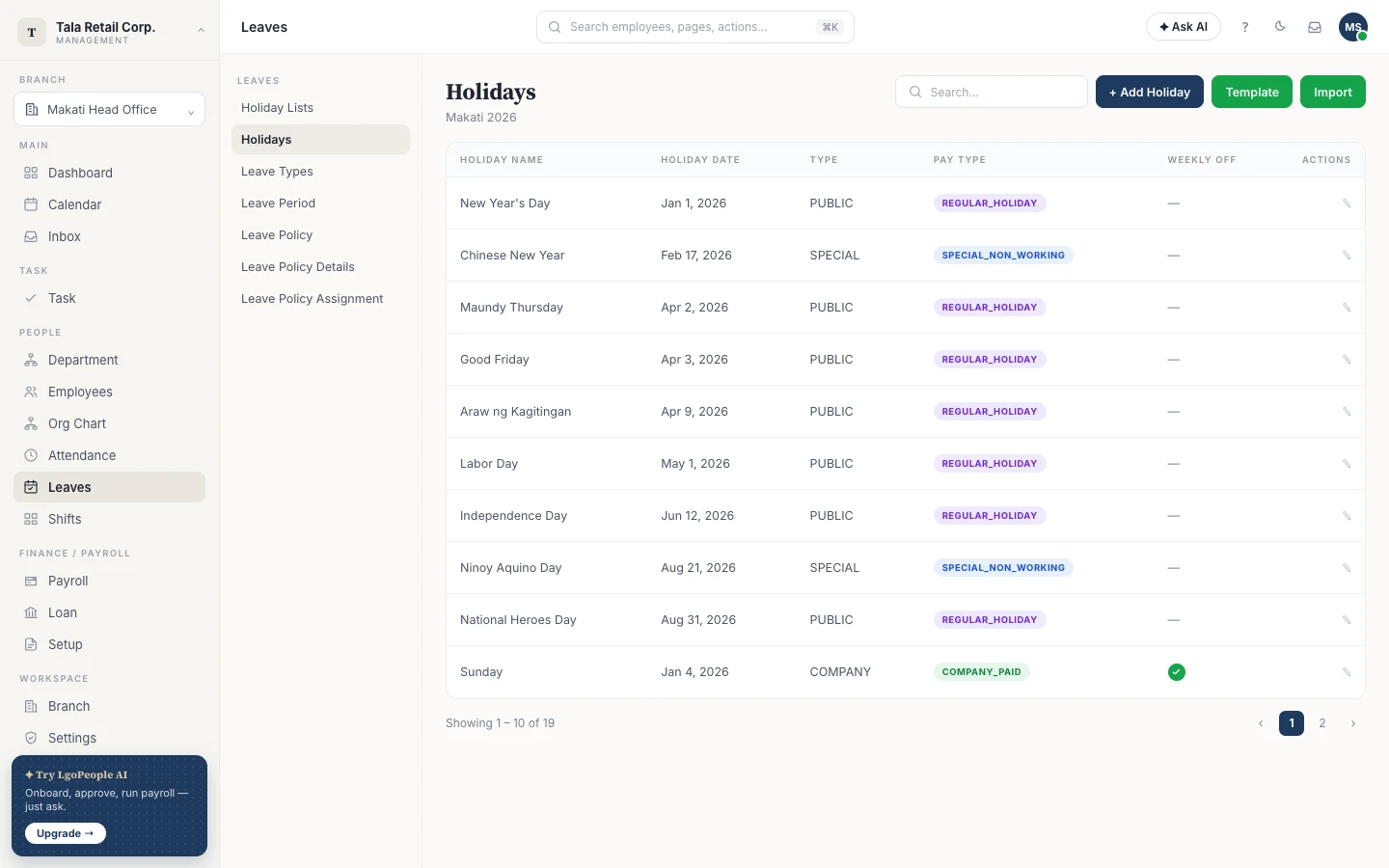
A year of holidays in one upload

Keep one holiday list per branch per year, and import the whole year from Excel. Mark weekly offs once, and every Sunday (or Saturday) is handled.

  • Public, regional, company, special and more
  • Holiday pay types that payroll understands
  • Restricted (optional) holidays for floating days off
Holidays table with dates, types and pay types

Try it

How many days is that, really?

Pick a range the way an employee would. Weekly offs are skipped unless the leave type includes them, and a half day counts as 0.5. Holidays on the branch's list are skipped the same way.

Weekly offs
Leave type settings

2 days

    FAQ

    Good questions.

    Free plan

    Up to 5 users? It's free.

    Start on the Free plan with up to 5 users. When your team grows, paid plans start at ₱39 per employee per month, with no demo wall or setup fee.

    Talk to a human: kim@lgoconnects.com