Field tasks & tracking

Field work with location and photo proof.

Send visits, deliveries and collections to your field team. They see each task on a map in the app, start it on arrival and close it with a proof photo. You see the trail.

Field Agent Tracking add-on · ₱199 per employee per month

Assigned tasks table with task titles, assignees and collection amounts

Highlights

Tasks on a map

Every task has a location, and the app gives directions to it.

Collection amounts

Record how much to collect on site for payment runs.

Proof photo to finish

Completing a task needs the employee's location and a photo.

Location trail

While clocked in, the phone shares its location about every 15 minutes.

Map view

All tasks plotted together for planning a day's route.

CRM link

Attach a link to the customer record so nothing is retyped.

01

Assign it, they get directions

Give each task a title, a description, a location on the map and, for collection work, the amount to collect. The employee sees it in the app straight away.

  • Assigned, in progress, completed or cancelled
  • Employees can only move a task forward
  • Reopening a finished task stays with the manager

Example: assign “Collect payment, Reyes Hardware” with ₱12,500 to collect. Your agent taps Directions, Start task on arrival, and Mark complete with a photo of the receipt.
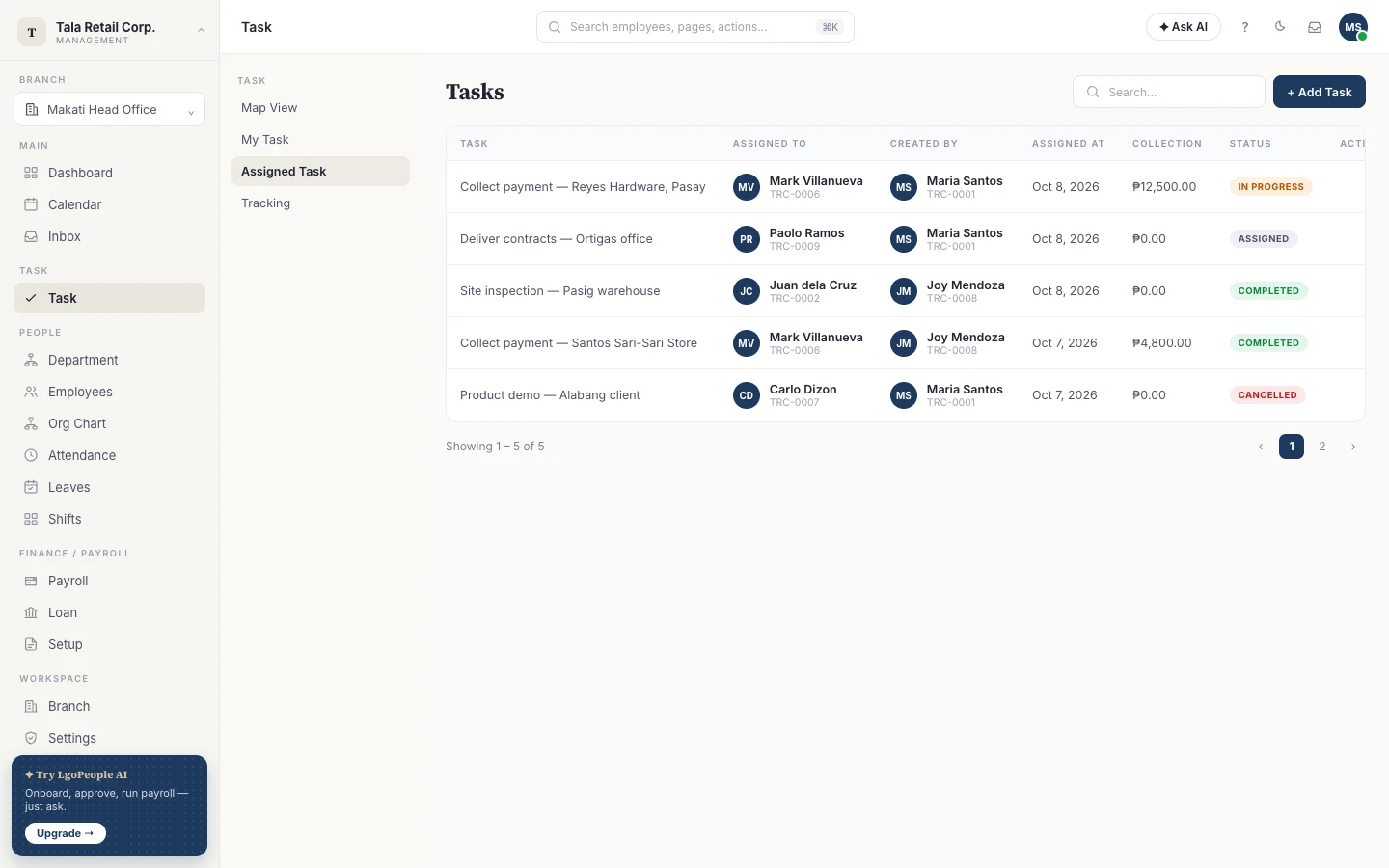
Assigned tasks list with assignee, creator and date

Try it

Replay a field agent's morning.

Three tasks, one agent. Each stop is started on arrival and closed with a proof photo, and the phone drops a location point about every 15 minutes while clocked in.

  1. 1 Collect payment, Reyes Hardware₱12,500 to collect Assigned
  2. 2 Deliver contracts, Ortigas officeLink to the CRM record Assigned
  3. 3 Site inspection, Pasig warehousePhoto of the loading bay Assigned
8:00 AM

FAQ

Good questions.

Free plan

Up to 5 users? It's free.

Start on the Free plan with up to 5 users. When your team grows, paid plans start at ₱39 per employee per month, with no demo wall or setup fee.

Talk to a human: kim@lgoconnects.com