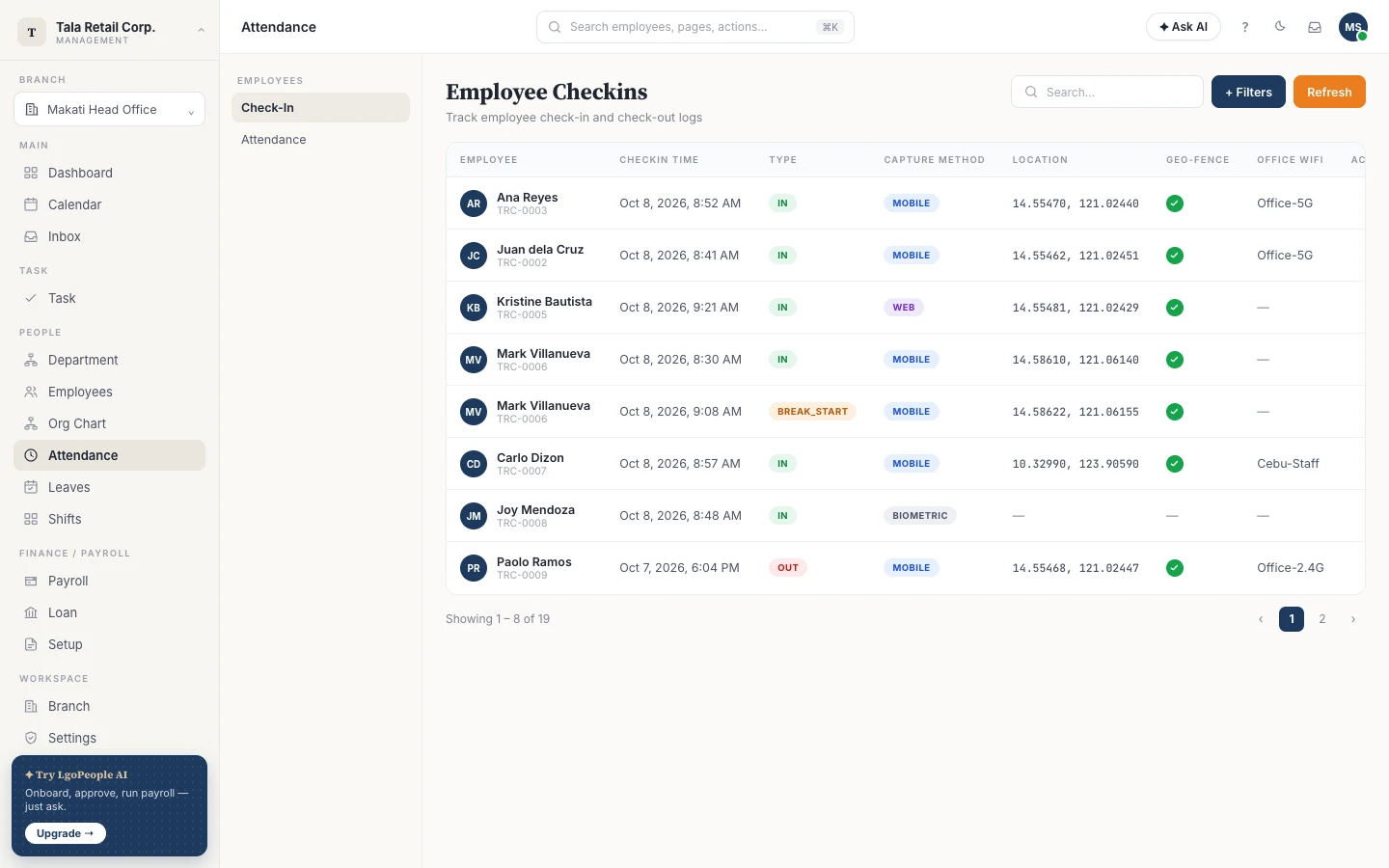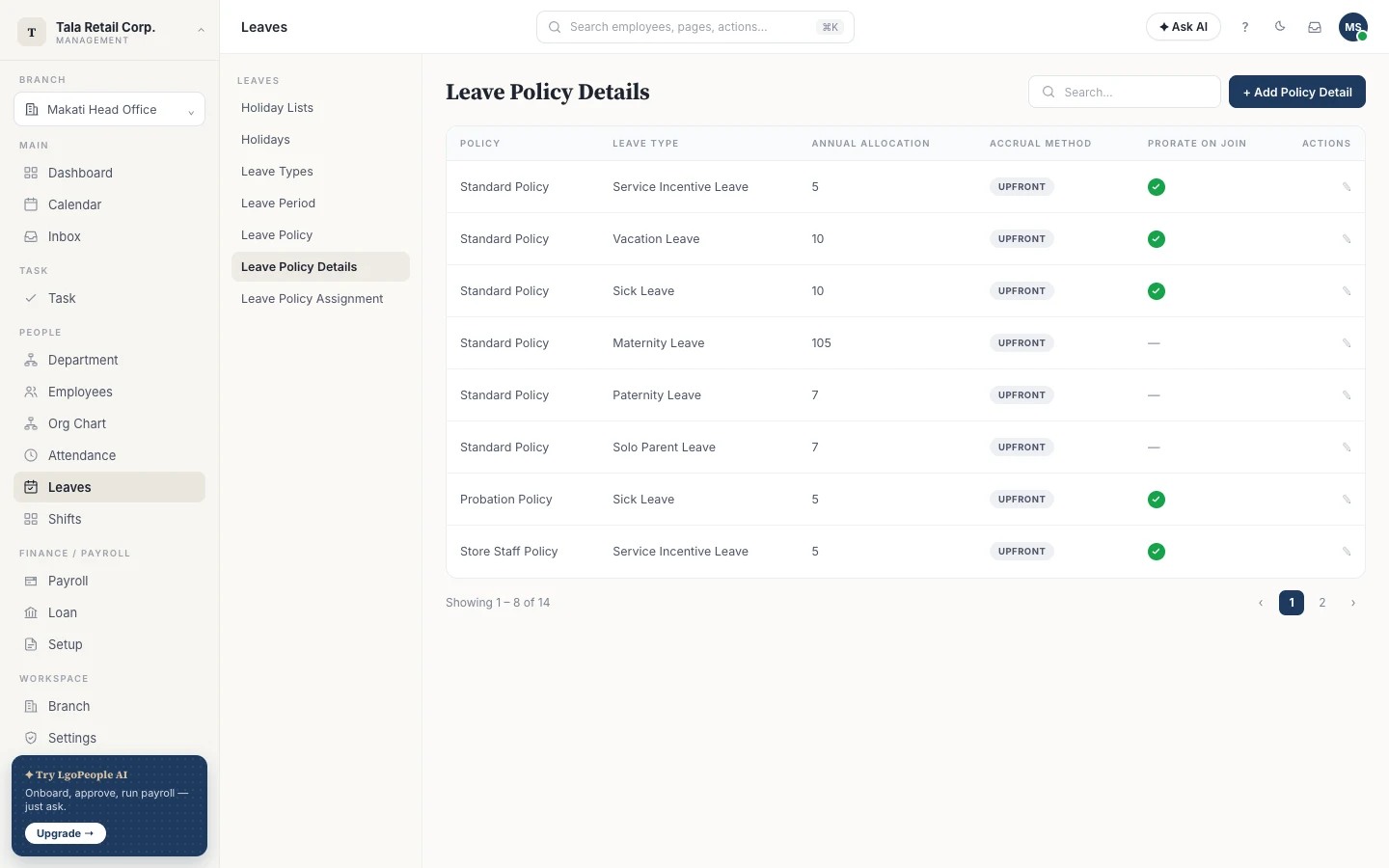
Shifts & rosters

Schedules that match real operations.

Define when people work and where they may clock in. Day shifts, night shifts that cross midnight, rotating weekly rosters: LGO People picks the right shift for every punch and measures lateness against it.

Shift management from Basic · roster planning from Premium

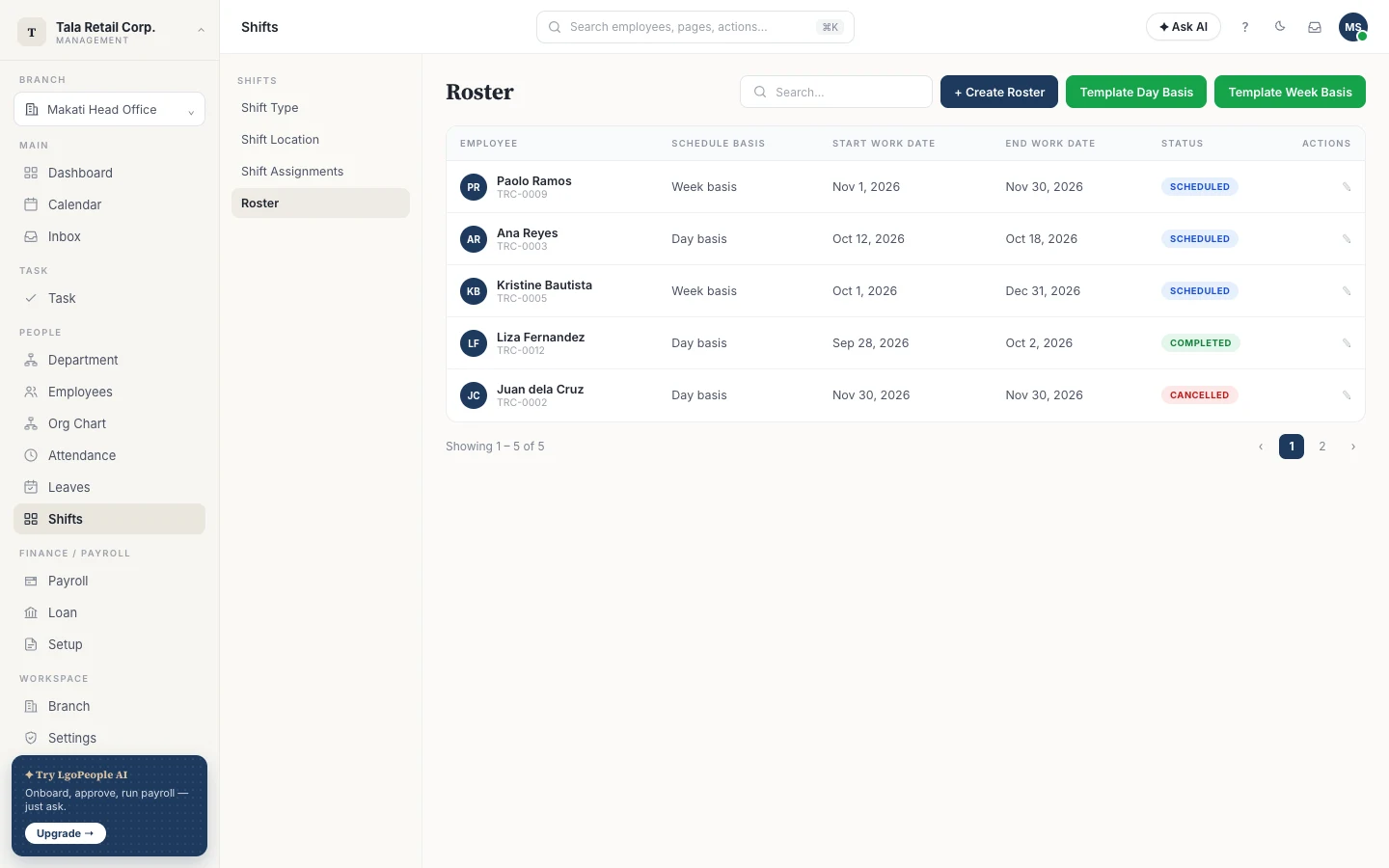
Roster table with each employee's schedule basis, start and end dates and status

Highlights

Grace periods

Separate grace minutes for coming in late and leaving early.

Half-day and absent rules

Set your own thresholds, or use half and a quarter of the shift by default.

Night shifts

A clock-out after midnight belongs to the day the shift started.

Day or week rosters

Plan one shift for a date range, or a different shift for each weekday.

Shift locations

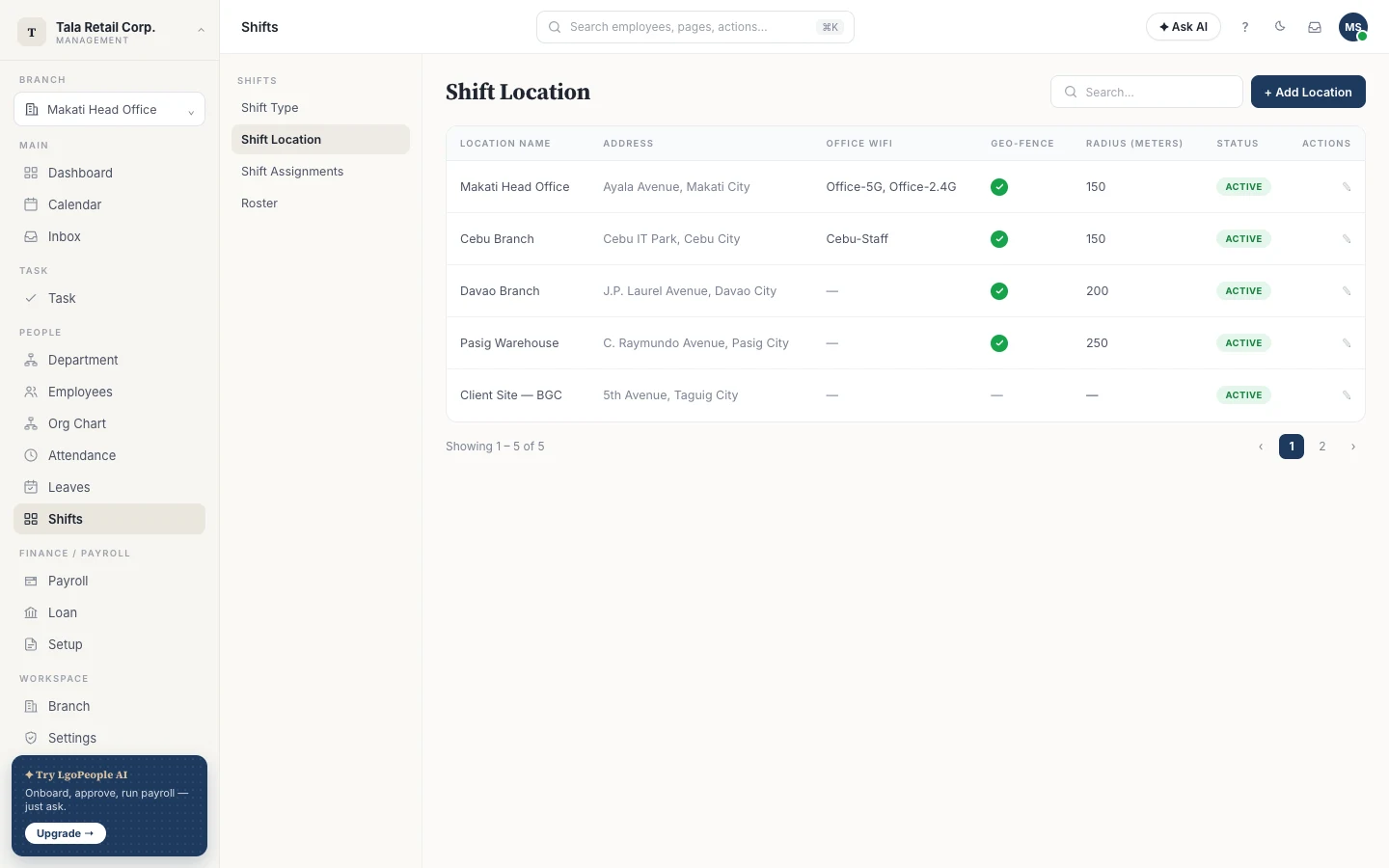
Each location carries its own geo-fence radius and office WiFi list.

Excel import

Load shift assignments and day- or week-basis rosters from a template.

01

Shift types with real rules

Each shift has a start, an end, a break and a colour for calendars. Working hours are calculated for you, and attendance rules sit right beside them.

  • Grace period in and out, in minutes
  • Half-day and absent thresholds
  • Overtime eligibility and when overtime starts

Example: General shift 09:00–18:00, grace in 10 minutes. Clocking in at 09:25 is 15 minutes late.
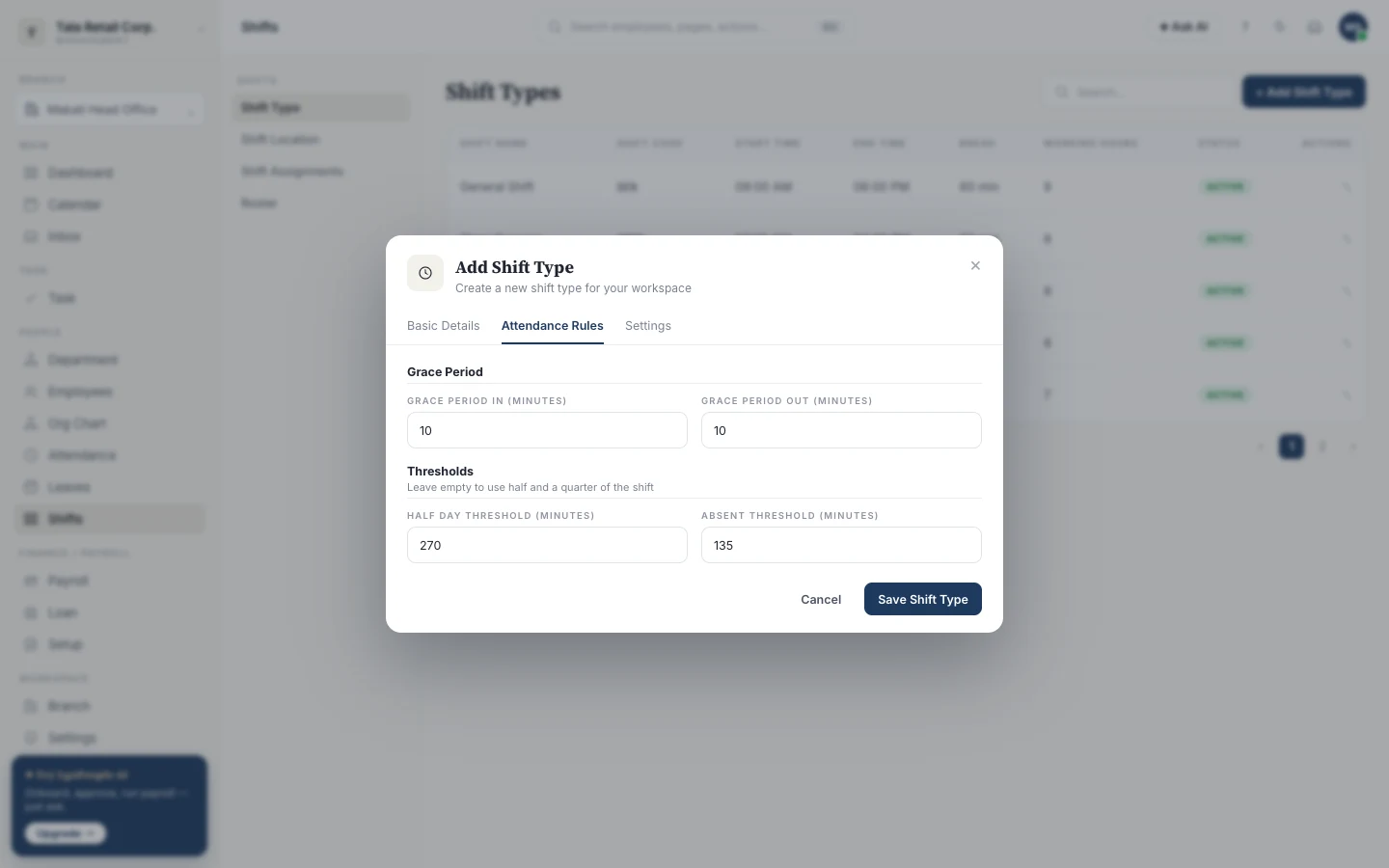
Add shift type dialog on the Attendance Rules tab with grace periods and thresholds

02

Locations with a fence around them

A shift location is a place employees may clock in from with the app. Click the office on a map, set a radius, and add the office WiFi names if you want both checks.

  • Geo-fence centre picked on the map, or typed as latitude and longitude
  • Office WiFi names, matched regardless of capital letters
  • Linked to a branch so each site keeps its own rules
Shift locations table showing geo-fence status and radius in metres

03

Rosters that rotate

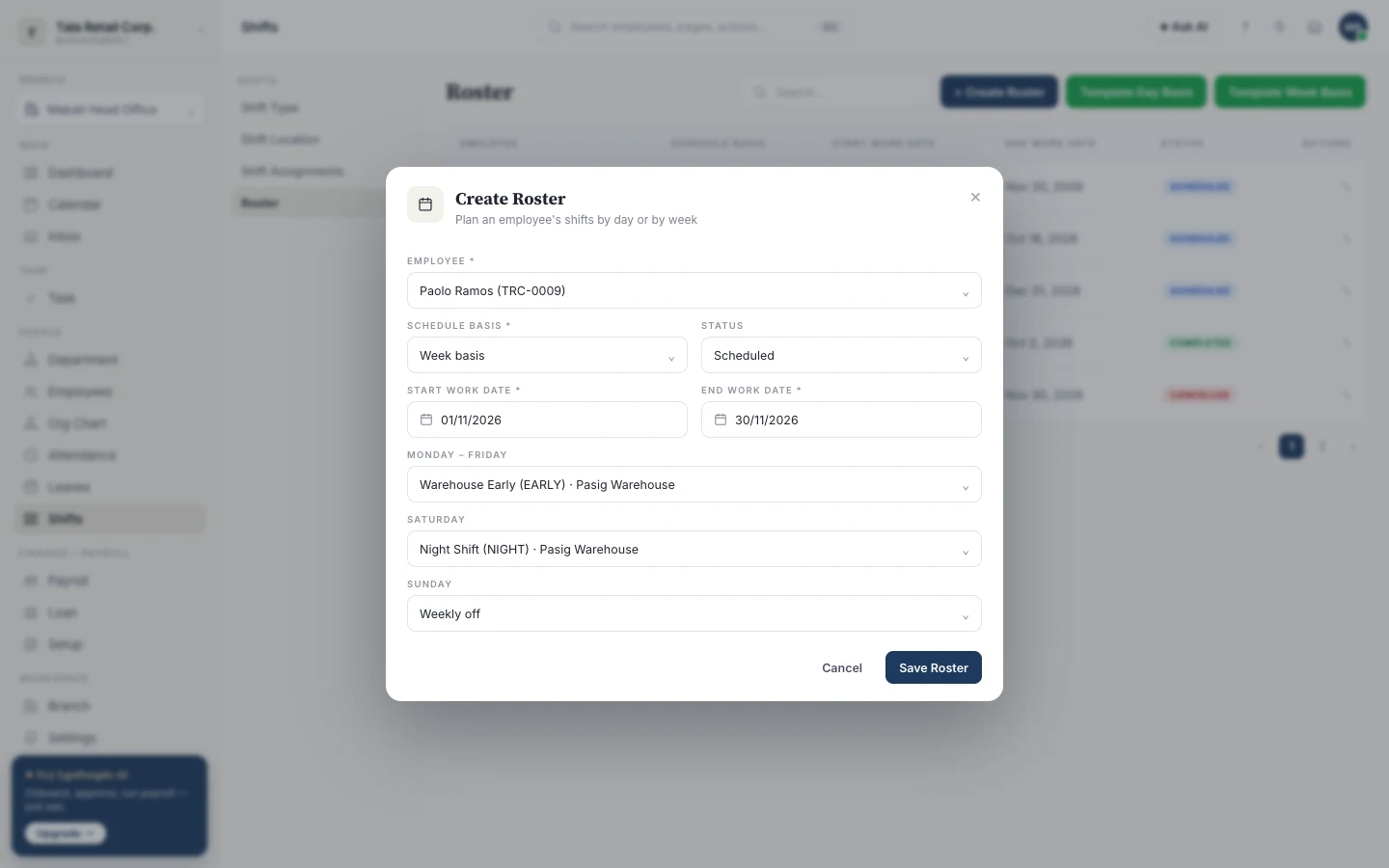
Rosters plan work day by day or week by week, and take priority over everything else. Perfect for stores, rotating nights and weekend crews.

  • Day basis: one shift and location across a date range
  • Week basis: a shift for each weekday, repeated
  • Only Scheduled entries are used at clock-in
Create roster dialog with schedule basis and work dates

04

Everyone's month at a glance

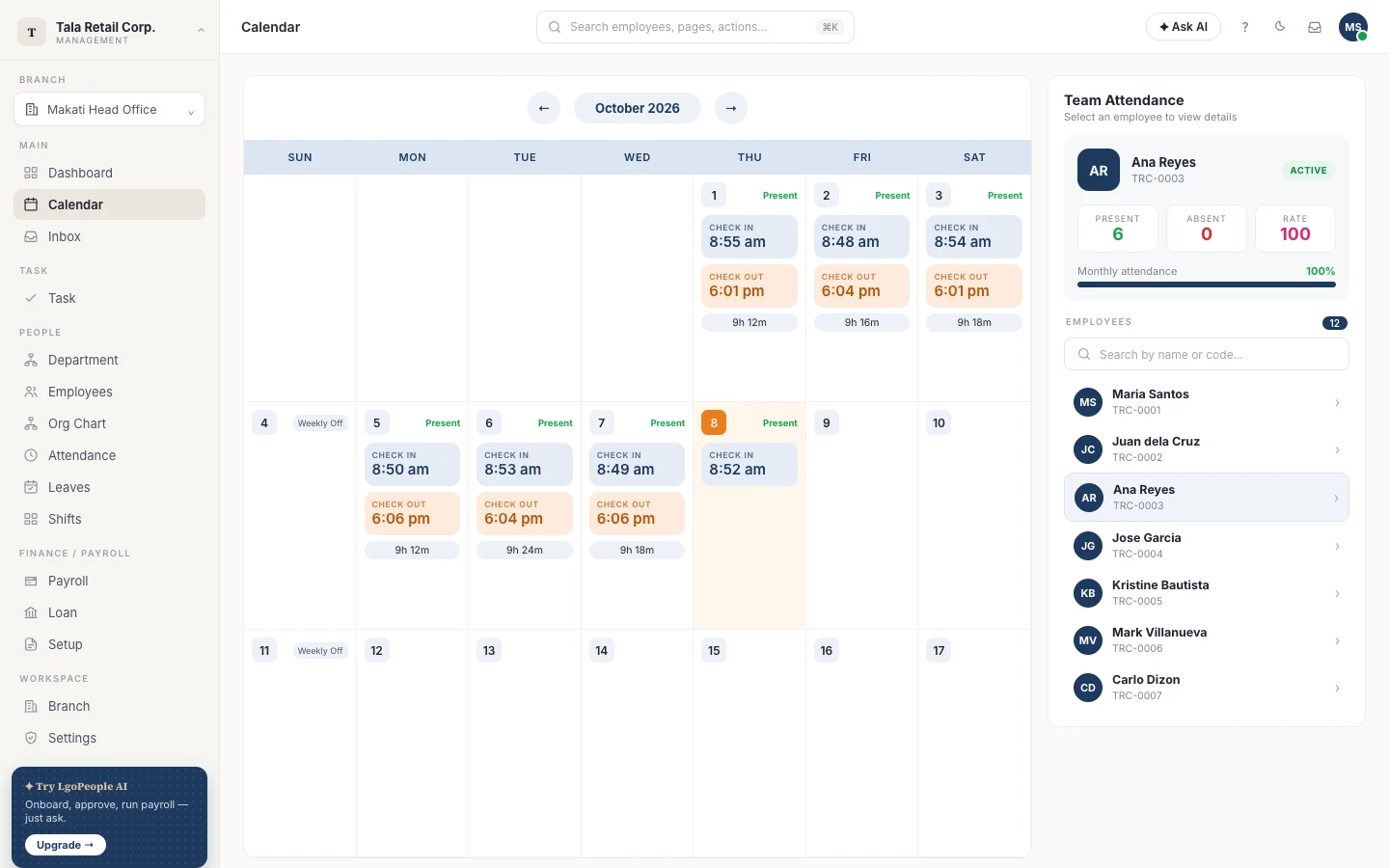
The team calendar shows any employee's month: present, absent, leave, holidays, weekly offs and the shift they're rostered on. Use it before approving leave or running payroll.

  • Search by name or employee code
  • Leave shown in each leave type's colour
  • Spot blank working days before payroll does
Team calendar showing one employee's month of check-in and check-out times

Try it

The right shift, every single day.

Paolo's default shift is General. He's on Nights for the first half of October, and rostered on Morning for Sunday the 11th. Click a day to see which shift his clock-in is measured against, and why.

Schedule layers

October 2026

  • Roster
  • Assignment
  • Default

Click a day.

FAQ

Good questions.

Free plan

Up to 5 users? It's free.

Start on the Free plan with up to 5 users. When your team grows, paid plans start at ₱39 per employee per month, with no demo wall or setup fee.

Talk to a human: kim@lgoconnects.com